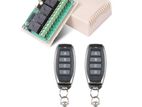
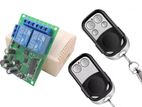
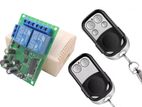
Remote Control Switch 4 Channel Relay ( Working Distance - 100m ) new
4 channel Remote Control Relay Switch Module 433Mhz
- 100m working distance
- working 230v
- load 2000w
Product Type: 4 Channel Remote Control Switch
RF Working Mode: ASK Superheterodyne
ReceptionModulation Mode: ASK
Working Mode: Momentary/Toggle/Latched, etc.
Matching Mode: Intelligent Learning Code.
RF Frequency: 433MHz
Receiving Sensitivity: >104dbm
Relays working voltage : 12v
Brand new stock
You can buy this item from Boralesgamuwa or Rathmalane .
* Digital House Company established on 2012 and more than 12 years of Experience
- Cash on Delivery Available
-(භාණ්ඩ ලැබුණු පසු මුදල් ගෙවන්න)
- For cash on delivery send US your details
Name -
Address -
Contact number -
-Island wide Delivery in a one day
-ලංකාවේ ඕනෑම තැනකට බෙදාහැරීම සිදු කරයි.
-(100% විශ්වාසය හා ආරක්ෂාව ඉතා ආරක්ෂාකාරී ඇසුරුමක බහා භාණ්ඩ බෙදැහැරීම)
- Safe Delivery
Please contact our mobile number on advertisement to get the item soon.
භාණ්ඩය ඉක්මනින් ලබාගැනීම සඳහා ආයතනයේ දුරකථන අංකය අමතන්න.
මෙම ආයතනයේ අනෙකුත් භාණ්ඩ පරීක්ෂා කිරීම සඳහා “ Digital House Visit member's shop” මත ක්ලික් කරන්න.
To view seller’s other Items Click on “Digital House Visit member's shop”.
-With Warranty
Operation Introduction:
About Working Mode:
1. Momentary/Joggle: Press and hold->On; Release->OffKeep pressing one button, the corresponding channel is working /on; Release your finger is stop/OFF. (4 channel switch(receiver) need 4 button remote control (transmitter )
2. Toggle/Self-Lock: Press->On; Press again->Off Press one button for one time, the corresponding channel is working/on; Press the same button again to stop/OFF. (4 channel switch(receiver) need 4 button remote control (transmitter).
3. Latched/Inter-Lock: Press->on; Press other button->OffPress one button for one time, the corresponding channel is working/on; Press another button is stop/OFF(At the same time, another corresponding channel works). (4 channel switch( receiver) need 4 buttons remote control (transmitter).
The Setting of Working Mode:
1.Momentary Mode: Pressing the learning key button on the receiver board once (LED Indicator on receiver board will signaling simultaneously), then press any of the remote button, signaling three times by remote's LED indicator means setting Momentary Mode successfully.
2. Toggle Mode: Pressing two times the learning key button on the receiver board twice(LED Indicator on receiver board will signaling simultaneously),then press any of the remote button , signaling three times by remote's LED means setting Toggle Mode successfully.
3.Latched Mode: Pressing the learning key button on the receiver board three times (LED Indicator on receiver board will signaling simultaneously), then press first remote button, follow on second remote button, signaling three times by remote's LED indicator means setting Latching Mode successfully (first button stands for on, second button stands for off ).
4.2CH Momentary + 2CH Toggle: Pressing the learning key button on the receiver board four times(LED Indicator on receiver board will signaling simultaneously),then press any of the remote button , signaling three times by remote's LED indicator means setting successfully.
5. 2CH Momentary + 2CH Latched: Pressing the learning key button on the receiver board five times(LED Indicator on receiver board will signaling simultaneously), then press any of the remote button, signaling three times by remote's LED indicator means setting successfully .
6. 2CH Toggle + 2CH Latched: Pressing the learning key button on the receiver board six times(LED Indicator on receiver board will signaling simultaneously), then press any of the remote button, signaling three times by remote's LED indicator means setting successfully.
7. 2CH Latching + 2CH Latched: Pressing the learning key button on the receiver board seven times(LED Indicator on receiver board will signaling simultaneously), then press any of the remote button, signaling three times by remote's LED indicator means setting successfully.
8. Deleting Existing Remote Controls Data: Pressing the learning key button on the receiver board eight times, the LED Indicator on receiver board will flash for eight times, it means that the existing remote controls are deleted successfully.