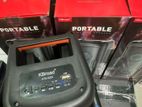
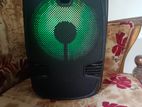
KTS 1762
Functions
OFF/ON:
Turn on/off the speaker and adjust the main volume.
DC 5V:
Plug the Micro USB cable to the speaker and connect other end USB port to the power source. (DC 5V)
TF slot:
Used to read the song files in FAT32 format with maximum size of 32GB.
NEXT/VOL+:
USB/TF/Smart/FM mode: Swipe right to mave next FM channel/track Swipe right and long press to increase the volume.
MIC VOL knob:
Ajust the Microphone volume
Connect with the MIC when you need.
Play/Pause:
Under USB/TF/Wireless mode, short press for play and pause, Press and hold to change the light mode.
USB slot:
Used to read the song files in FAT32 format with maximum size of 32GB
PREV/VOL-:
USB/TF/Wireless/FM mode: Swipe left to move previous FM channel/track. Swipe left and long press to decrease the volume.
TREBLE knob:
adjust the treble
M:
ECHO knob:
adjust the echo
Aux:
Aux in function, use the Aux Cable and connect to any audio device with Aux out function
MIC-IN:
To change mode during USB/TF Wireless, FM mode
Made in China
FM RADIO
Phish the MODE button to change to FM radio mode and then press the Button to search FM channel automatically. This operation will scan all EM stacion and Pre-record them to the memory. The scan procedure will take severaminutes to complete and should not be interrupted, Once complete, you can short press to move forward or backward
USB/TF Card
Insert the USB or TF card into the USB/TF slot, it will read the MP3 format
music automatically.
Press to Play/Pause, short time press and to Prev and Next.
WIRELESS
Turn on the speaker it comes into the Wireless mode directly. After pair the device, it can play the music, Short time Press to Play/Pause, press and to Prev and Next