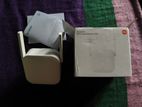
Necessary Equipment
HDMI Extender Transmitter (TX): The companion unit connected to your source device.
Category Network Cable: One Cat5e, Cat6, or Cat7 Ethernet cable.
Two HDMI Cables: One for the source, one for the display.
Power Supplies: Usually 5V or 12V DC adapters (some systems power both units from one side).
Step-by-Step Setup Guide
Connect the Source: Plug an HDMI cable from your media player, console, or PC into the HDMI IN port on the Transmitter (TX) unit.
Link the Extender Units: Connect one end of your Ethernet network cable into the RJ45 / Link port of the TX unit. Plug the other end into the RJ45 / Link port of this Receiver (RX) unit.
Connect the Display: Plug a second HDMI cable from the HDMI OUT port on this Receiver (RX) unit into your TV, monitor, or projector.
Power the System: Plug the provided power adapters into the wall and connect them to the power ports on the units.
Select the Input: Turn on your source and display devices, then switch your display to the correct HDMI input channel.